

Google has released an emergency Chrome security update for Windows, Mac and Linux to address a high severity zero-day vulnerability that is now being actively exploited.
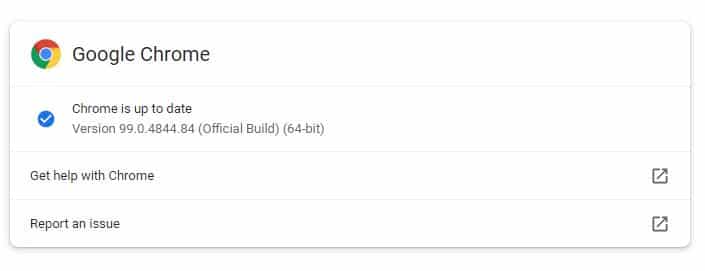
The emergency Chrome update to version 99.0.4844.84 contains a single security fix for the zero-day attack CVE-2022-1096, which was initially disclosed on March 23.
For more information, go to Google’s Chrome Releases Blog post.
Microsoft has also confirmed that this vulnerability exists in Edge, which is a Chromium-based browser.
All Chrome and Edge users should update their browser as soon as possible.
How to update Google Chrome
In Google Chrome, go to Help > About or type chrome://settings/help directly in the address bar. If the update is available, it will automatically start downloading.
Note: It may take a few days or weeks for the update to reach everyone, so be patient if you are not seeing it yet.
Remember to restart your browser after the update has been installed or it will not activate and you will still be vulnerable to attack.
Microsoft Edge
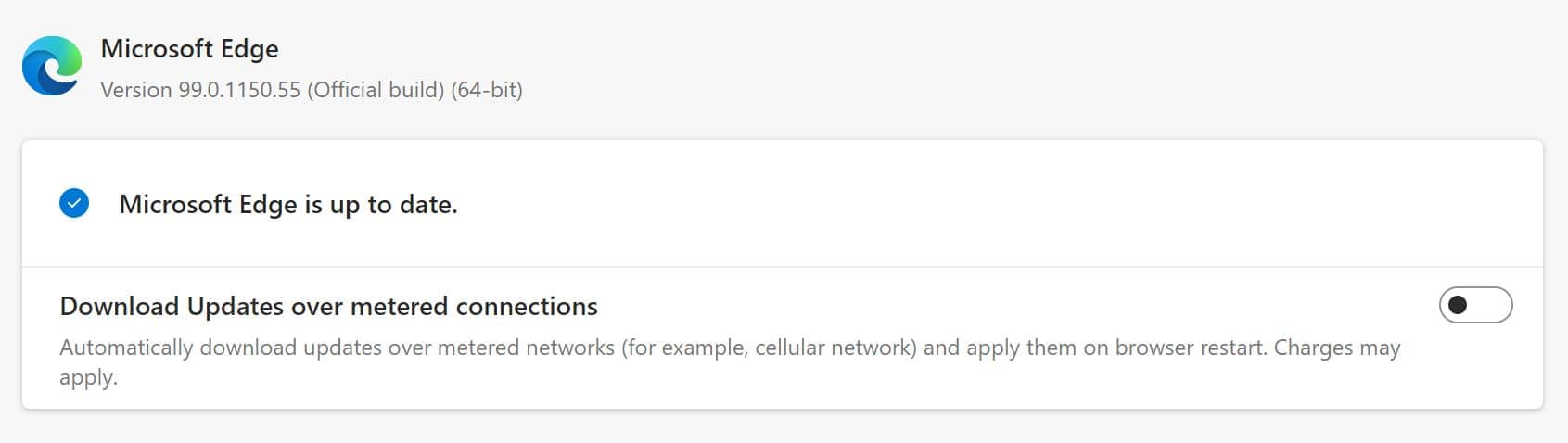
In Microsoft Edge, go to Settings and more > Help and feedback > About Microsoft Edge (edge://settings/help). If your browser version is 99.0.1150.55 or higher, it is no longer vulnerable to the CVE-2022-1096 issue.
If you have questions, please reach out to the help desk.